Turn an old photo into the Sorry I Lied clip
One photo of you as a kid, one short vertical video, and the confession trend writes itself. Slow push-in, faded film look, and a sound that does the emotional work.
Example clips are demonstration footage made for this page.
Create your video
1Your photo
Best results: one person, facing the camera, even lighting, head and shoulders visible. Avoid sunglasses, masks and heavy filters.
2Length
Length
6s / 12s / 18s
Resolution
480p
Aspect
9 : 16
Billing
1 credit = 1 second
The problem
A still photo does not stop the scroll any more
The format needs motion
The trend is a slow reveal. A flat image in a feed reads as a screenshot, not as a story.
Editing an old photo takes tools
Getting a gentle push-in, grain and a music bed means a timeline and three apps on your phone.
The sound is half the post
Pick the wrong track and the confession lands as a joke. The whole format lives on the audio.
Side by side
Editing it yourself vs. using Sorry I Lied AI
| Doing it yourself | With Sorry I Lied AI |
|---|---|
| Scan and clean up the old photo | Upload the photo as it is |
| Keyframe a push-in by hand | The camera move is built in |
| Find a track that fits the mood | Made for the trend sound |
| Export and fight the aspect ratio | Vertical MP4, ready to post |
How it works
How to make a Sorry I Lied clip
- 1
Find the photo
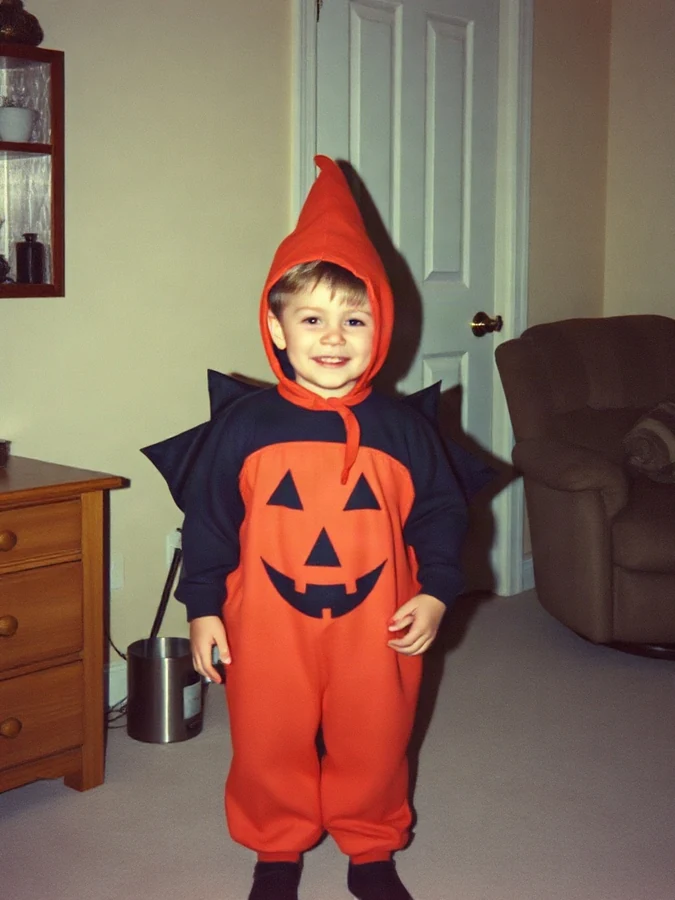
A childhood photo works best: school picture, birthday, a costume you have apologised for since. Phone snapshots of prints are fine.
- 2
Upload and pick a length
Short clips render faster. One credit covers one second of video.
- 3
Render, then add the sound
Download the vertical MP4 and post it with the trend audio. The clip ships silent on purpose: the sound you pick is what puts it in the trend.
Made with Sorry I Lied AI
A photo goes in, the memory moves
No timeline, no grain packs, no keyframes. Upload the photo, pick a length, and the render keeps the mood the format needs.
Clip generated
About the trend
What is the Sorry I Lied trend?
It is a confession format. People post a childhood photo, then undercut it: I lied, my hair was down. I lied, the dress was not that cute. I lied, that was actually my little brother. The last slide gives the real photo back, and the joke is that the memory was never the flattering version.
Sorry I Lied AI turns one still photo into the moving version of that slide: a slow push-in, a faded film look, and a vertical frame built to sit under the trend sound. You bring the photo and the punchline; the renderer brings the motion.
Read the full guide to the Sorry I Lied trendFeatures
Everything you need for one confession clip
One old photo is enough
A scan or a phone photo of a print. The renderer handles the crop and the frame.
Motion that fits the mood
A slow push-in and a faded film look, not a cartoon zoom. The format depends on restraint.
Vertical and ready to post
Exports at 9:16, so it drops straight into TikTok, Reels or Shorts with room for the caption.
Short hook or full reveal
You only pay for the seconds you render.
Private by default
Uploads are stored privately, used only for your render, and deleted automatically after seven days.
Fair billing
Credits never expire, and a failed render puts them back in your balance automatically.
Ideas
What people use it for
The Halloween confession
The costume you were so proud of, followed by the truth about it.
Sibling reveals
Post the matching photos, then admit which one of you was actually in them.
Birthday posts that land
Send a friend their own childhood photo, moving, with a caption they did not expect.
Pricing
Pay once, use whenever
1 credit = 1 second of video. No subscription, no expiry.
Starter
Try the trend
$9.90
20 credits
≈ 3 videos of 6 s
- Credits never expire
- All video lengths
- HD MP4 download, no watermark
- Automatic refund on failed renders
Party
For you and your friends
$19.90
60 credits
≈ 10 videos of 6 s
- Credits never expire
- All video lengths
- HD MP4 download, no watermark
- Automatic refund on failed renders
Squad
For creators and teams
$29.90
100 credits
≈ 16 videos of 6 s
- Credits never expire
- All video lengths
- HD MP4 download, no watermark
- Automatic refund on failed renders
Prices in USD. Taxes are calculated at checkout by our payment partner.
What does "sorry I lied" mean in this trend?
It is a confession format, not a real apology. You open with a childhood photo, then take the old glory back one line at a time: I lied, my hair was actually down, the outfit was not that great, the kid in the photo is my brother. The last slide is the real one. The point is the self-deprecation; the sorry is the joke.
Where the Sorry I Lied format comes fromIs this the "sorry i lied to you" song?
No. "sorry i lied to you" is a different song and a different meme, with nothing to do with this childhood-photo trend. If that track is what you came for, we cannot help with that here. If you want to turn an old photo of yourself into the moving confession clip, you are in the right place.
What kind of photo works best?
A single childhood photo where the face is clearly visible. A phone photo of a paper print works fine too: even light and no glare matter more than resolution.
Why is the clip silent?
Because the sound is the trend itself, and it changes every week. The clip ships as a clean MP4, so you attach the current trending sound when you post. That is what puts the post in front of the trend's audience.
Which sound should I use?
The trend sound is the default, and it is best taken from the original post: it keeps your clip in the same feed. If you want a different register, a slowed-down sad piano version and a whispered “I am sorry” monologue are the two that still fit the format. Avoid anything upbeat; it turns the confession into a boast.
Can I use a photo of someone else?
Only with that person's permission, and never a photo of someone else's child. Accounts that break this rule are closed.
How do credits work?
One credit covers one second of video. Credits are bought in packs, never expire, and return automatically if a render fails.
What happens to my photos?
Uploads are private, used only to make your clip, and deleted automatically after seven days. Finished clips are kept for thirty days.
The confession is one photo away
Find the photo you were going to apologise for anyway, and let it move.
Make my clip · $9.90+